TL; DR: Vanikya now ships an MCP server that plugs directly into Claude, giving you professional image generation, SEO analysis, creative feedback, and credit management without ever leaving your AI workflow.
Endpoint: https://prod.vanikya.com/mcp
The Problem with AI Tool Switching
If you run a business, your day is already fragmented.
You're jumping between tabs: one tool for product images, another for SEO, a separate dashboard for billing. Then you open Claude to write copy, answer questions, or plan campaigns.
The AI is smart, but it can't actually do the tasks inside your other tools.
So you copy-paste. You switch. Your context-switch again.
That’s the gap Vanikya AI MCP closes.
What Is MCP?
MCP stands for Model Context Protocol, an open standard that allows AI assistants like Claude to connect to external tools and APIs.
Think of it like USB-C for AI: one universal interface.
With MCP, Claude can:
- Discover available tools
- Call them on your behalf
- Return results directly in chat
No switching. No friction.
Introducing the Vanikya AI MCP Server
Endpoint: https://prod.vanikya.com/mcp
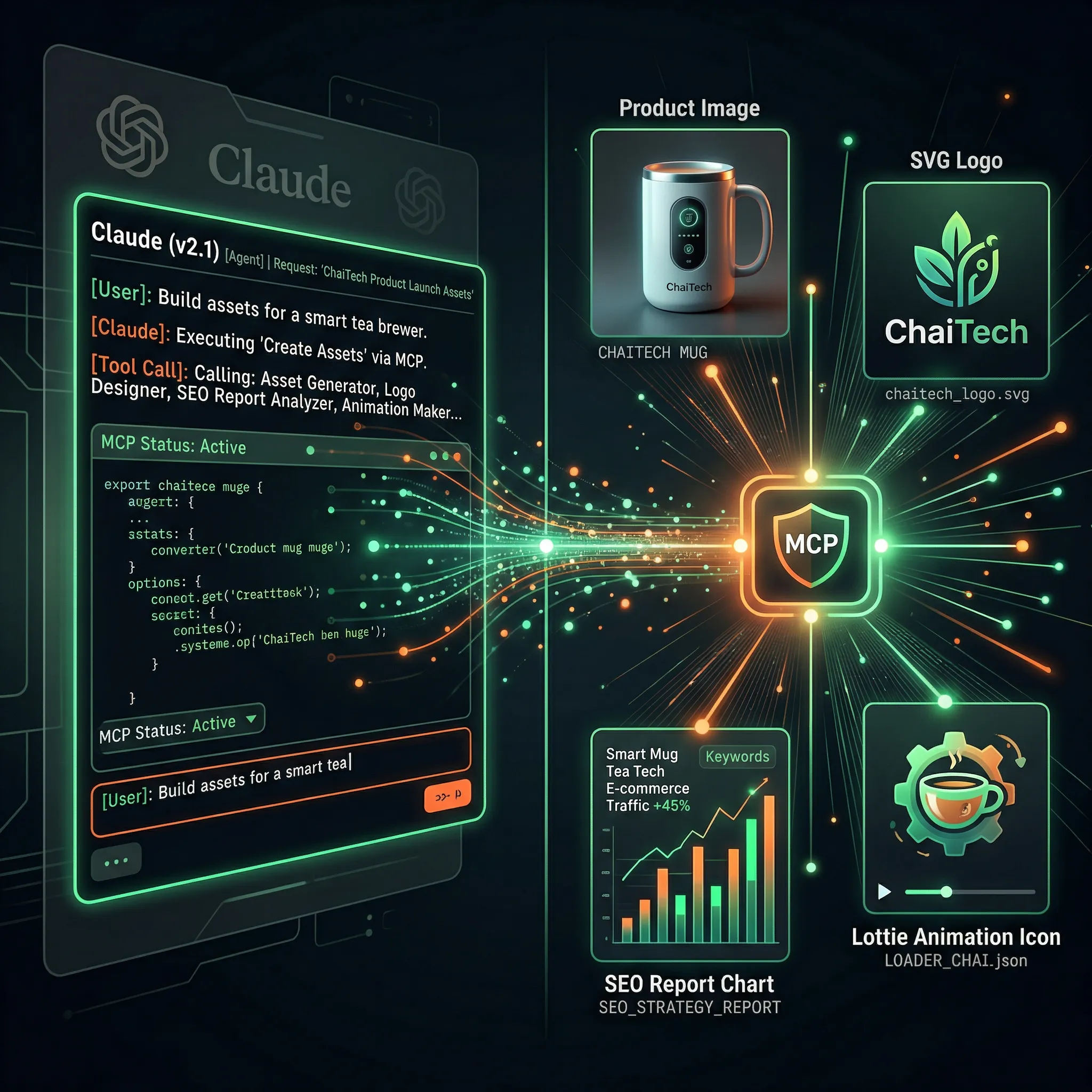
This single MCP server gives Claude access to your full Vanikya toolkit:
Image Generation
Generate product images, illustrations, SVGs, and animations
Video Generation
Create short-form videos from prompts
SEO Analysis
Run deep audits on URLs or entire websites
Creative Insights
Get branding and visual critique
Credits
Check balance and purchase credits directly
Everything works inside Claude using your Vanikya account.
Who Is This For?
Indian MSMEs
Generate banners, audit pages, and improve branding without hiring large teams.
Solopreneurs and freelancers
Run full workflows in a single conversation.
Developers
Integrate tools into Claude apps without SDK overhead.
Marketers
Plan and execute campaigns end-to-end inside Claude.
Deep Dive into Features
Imagine, Visual Generation
Create:
- Product images
- Illustrations
- SVG logos and icons
- Lottie animations
- Videos
Claude handles everything:
Enhances your prompt → estimates credits → asks confirmation → generates → delivers results.
SEO Analysis
Run professional audits including:
- Technical SEO
- On-page optimization
- Content quality
- Internal linking
- Structured data
- Mobile experience
Supports both single URL and batch analysis.
Creative Insights
Upload an image and get:
- Composition feedback
- Color analysis
- Typography critique
- Brand tone evaluation
- Actionable improvements
Cost: 0.75 credits per image (always confirmed before running)
Credits Management
Inside Claude, you can:
- Check your balance
- View plans
- Browse packages
- Generate payment links
Getting Connected in 60 Seconds
Option A: Claude Code (Terminal)
claude mcp add --transport http vanikya https://prod.vanikya.com/mcp
Option B: Claude Desktop
Claude has native support for remote MCP servers with OAuth.
Go to:
Settings → Connectors → Add custom connector and then enter:
https://prod.vanikya.com/mcpClaude will handle the OAuth flow automatically
Option C: Plugin
/plugin marketplace add vanikya/vanikya-ai-mcp
/plugin install vanikya-ai-mcp
Real-World Workflows
Generate Product Images
Ask Claude to create festive product visuals → it enhances, generates, and delivers.
Run SEO Audit
Provide URLs → get prioritized fixes instantly.
Review Creatives
Upload ad creatives → get scores, feedback, and top picks.
Why MCP Instead of a Dashboard?
Because of context.
Claude remembers your:
- Product
- Brand
- Audience
So, every action is smarter.
A dashboard is a tool.
Claude + MCP is a workflow.
What’s Coming Next
- Autonomous campaign agent
- Subscription management
- Custom model fine-tuning
Frequently Asked Questions
Do I need an account?
Yes, authentication happens via your Vanikya account.
Does Claude web support MCP?
Not yet. Use Claude Desktop or Claude Code.
Are assets private?
Yes, everything is stored securely in your account.
What if generation fails?
Jobs continue server-side and can be retrieved later.
Can developers integrate this?
Yes, by pointing Claude API to the MCP endpoint.
Get Started
MCP Server: https://prod.vanikya.com/mcp
Docs: https://vanikya.ai/mcp
Stop switching tabs.
Start building.